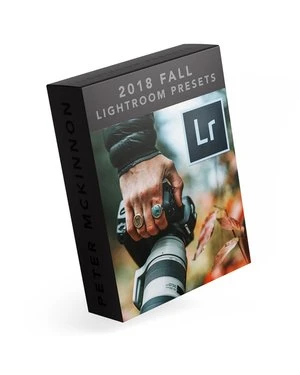
Lightroom Presets
PM Lightroom
Presets V2 2018
The V2 Lightroom preset pack brings 15 custom color presets and 8 adjustment presets. Bring rich autumn colors, deep blues, and dramatic lighting to your shots.
Compatible with Lightroom CC, Lightroom Classic CC, Photoshop CC, and Adobe Camera Raw. Non refundable.
$30
SEE THEM IN ACTION
Install Instructions +
Extract the ZIP file (to your desktop computer, not to your phone).
Open Lightroom and go to the Presets section. Click on File > Import Profiles & Presets.
Select the presets ZIP file(s) and click Import. → Selecting the ZIP file.
Restart LR and your presets will now be listed in the Presets section.
When in doubt, also feel free to Google/YouTube it.
Mobile FAQ's +
Install the presets on the desktop version of Lightroom CC first, then they will auto-sync into the Lightroom CC Mobile app.
15 Color Presets + 8 Adjustment Presets Included. Zip file is sent shortly after purchase.
Download the files to your DESKTOP LR, NOT on your phone. LR will sync to your mobile app.
Purchased presets are not to be shared or resold in any manner.